EasyPad
The next gen notepad with clipboard and AI.. EasyPad is a lightweight, blazing-fast code editor that puts clipboard management at the center of your workflow. Capture, organize, and transform clipboard content effortlessly while enjoying professional-grade code editing with AI-powered assistance.
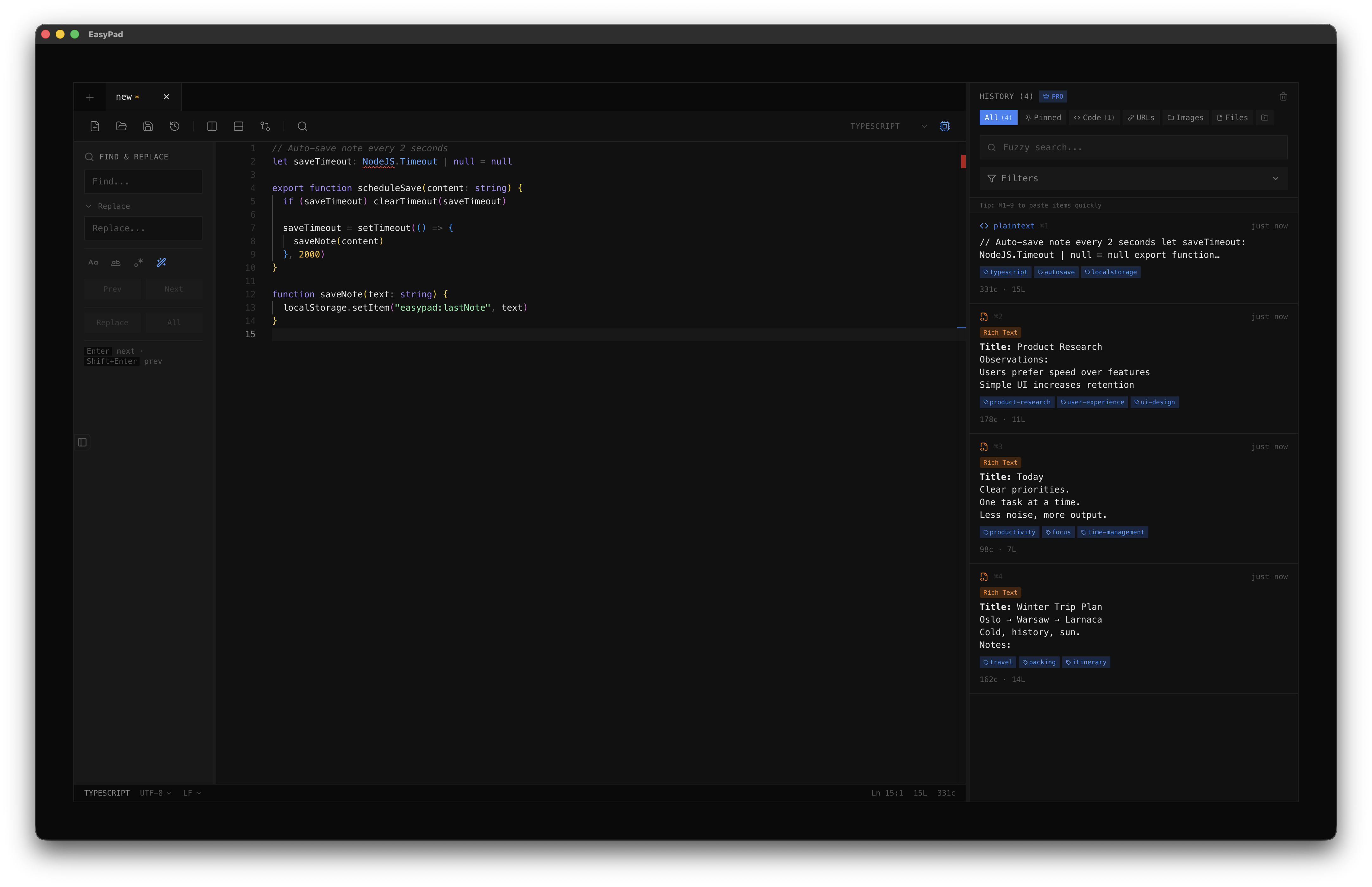
Developers constantly copy and paste code snippets, URLs, and text throughout their day, but traditional editors treat the clipboard as an afterthought. Valuable snippets get lost, context switches break flow, and there's no easy way to organize or search your clipboard history. Meanwhile, most editors are either too bloated or too basic.
Powerful features for
modern users
Everything you need to stay productive and connected, designed with simplicity and efficiency in mind.
Smart Clipboard History
Automatically capture and organize all clipboard content including text, code, images, HTML, RTF, and file paths. Never lose a snippet again.
Professional Code Editing
Monaco-powered editor with syntax highlighting for 50+ languages, multi-cursor editing, find & replace with regex, and split-view support.
AI-Powered Assistance
GPT-powered code completion, automatic tagging, regex generation from natural language, and intelligent code analysis.
Multi-Tab Interface
Work on multiple files simultaneously with a clean, intuitive tab system. Quick paste-to-create workflow for instant captures.
Built-in Diff Viewer
Compare files side-by-side with professional diff viewing and merge capabilities. Perfect for code reviews.
Advanced Search
Fuzzy search across clipboard history with filtering by type, language, and date. Full regex support for power users.
File Explorer
Navigate your workspace with an integrated file tree. Open, organize, and manage files without leaving the editor.
Line Bookmarks
Mark important lines for quick navigation. Jump between bookmarks instantly while working on complex codebases.
Session Management
Save and restore entire editing sessions with cursor positions, scroll locations, and file states preserved.
Column Editing Mode
Multi-cursor column editing for bulk operations. Edit multiple lines simultaneously with precision.
Clipboard Groups
Create custom groups to organize clipboard items. Pin important snippets and filter by content type.
Minimal Dark Theme
Clean, distraction-free interface with a carefully crafted dark theme. Focus on your code, not the UI.