LinkView
Design HMI/SCADA screens in the browser. Run them free on Windows, macOS and Linux. LinkView is an HMI/SCADA studio and runtime. Studio defines tags and drivers for Modbus TCP, Modbus RTU and OPC UA. Runtime brings alarms, trends, a historian and signed deploy kits to the station.
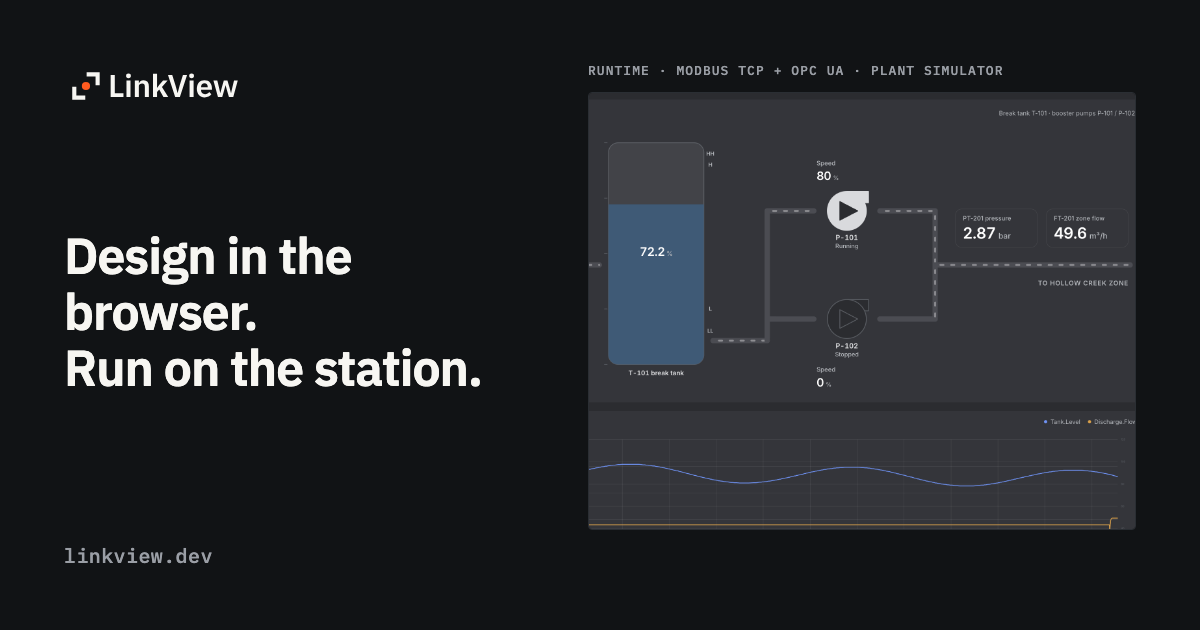
Design HMI/SCADA screens in the browser. Run them on Windows, macOS and Linux, with alarms, trends, a historian and signed deploy kits on the station.
Powerful features for
modern users
Everything you need to stay productive and connected, designed with simplicity and efficiency in mind.
Draw screens from parts
Start from 42 widgets: pumps, valves, motors, VFDs, conveyors, PID faceplates, trends, alarm lists and login forms. Turn a group into a component with variants, lay frames out with auto-layout, and keep colors in project tokens. Bind the named parts of an SVG symbol to tags.
Tags and drivers, defined once
Define tags and reusable TypeDefs, then connect them to Modbus TCP, Modbus RTU over serial, or OPC UA. Connection passwords stay out of the project file; the project keeps only a reference. In the browser, Preview runs your screens against a built-in pump-station simulator.
Alarms, trends and a historian
Alarms move through unacknowledged, acknowledged and returned-to-normal states. Operators can shelve an alarm for a set time, with a reason. Trends plot several pens from the built-in historian, with drag-to-zoom and an optional right axis.
Faceplates, recipes, reports and scripts
Faceplates, recipes, CSV and HTML reports, and QuickJS scripts run in the same engine.
Users, roles and an audit trail
Users, roles and plant areas decide which screens an operator receives and which tags they may write. Operators can sign in with a PIN. Sign-ins and writes go into a hash-chained audit trail. Critical tags ask for confirmation, and held buttons return to their safe value when released.
Signed deploy kits
Studio builds a signed deploy kit. Copy it to the station on USB, or publish it to paired stations. If a new package cannot start, Runtime goes back to the last-known-good one. The station database is backed up every night, and the last seven backups are kept.
Your own AI client, through MCP
Add the MCP endpoint to any client that can send a token as a bearer header, for example Claude, ChatGPT, Cursor, GitHub Copilot or Grok. The client can edit screens, widgets, bindings, tags, alarms, scripts, recipes and reports.